Students can now self enroll into a class on a Learning Upgrade license. Teachers and admins can login to their Learning Upgrade accounts to generate a student self enroll class code. In this post, I’m going to start by showing you how to generate a class code for self enrollment. I will then show you how students can self enroll using that class code.
Generating a Class Code for Self-Enrollment
- After logging in to your Learning Upgrade teacher account, you’ll see a new ‘Self Enroll’ button in the Students tab of your Teacher Menu. Click on the ‘Self Enroll‘ button and you will see a self enrollment guide with your class code listed at the top.
- The self enrollment guide can be printed, and is available in English and Spanish. This single class code can be used by all of your students to self enroll.
- If your site has multiple teachers, each teacher can generate their own self enroll code.
Self Enroll Button Teacher Menu


Student Self Enroll Guide and Class Code


Student Self-Enrollment With a Class Code


- The first step to student self enrollment is for students to download the Learning Upgrade App on a smartphone or tablet. Students can also self enroll using a web browser.
- Download the app on the Apple App Store or Android Google Play Store. Students can also self enroll using a non-mobile browser.


- Once a student launches the Learning Upgrade App, they will click the orange ‘Get Started‘ button.
- After clicking ‘Get Started‘, they will need to select a course. They can choose the math or English track, and then select a specific course or a placement assessment.

- After selecting a course, your students will enter their First Name and Last Name.
- Students can enter a School ID#, a Phone #, or an Email address, but these fields are not required.
- In the Class Code field, your students will enter the class code listed on your self enrollment guide page. This class code is what will link the student to your Learning Upgrade Teacher Menu class.
- After clicking the ‘GO‘ button, your student’s User Name, Password, and School ID will show on their screen. Make sure they write this down or screen-grab it.


- After your students have created their accounts with self enrollment, they will see their courses page. Their active course will be colored in with yellow, and the inactive courses will be colored in with grey.
- Students can click on any course icon to add additional courses to their account.
- To being playing on their Learning Upgrade account, students can click on an active course.
Tracking and Monitoring Self Enrolled Students
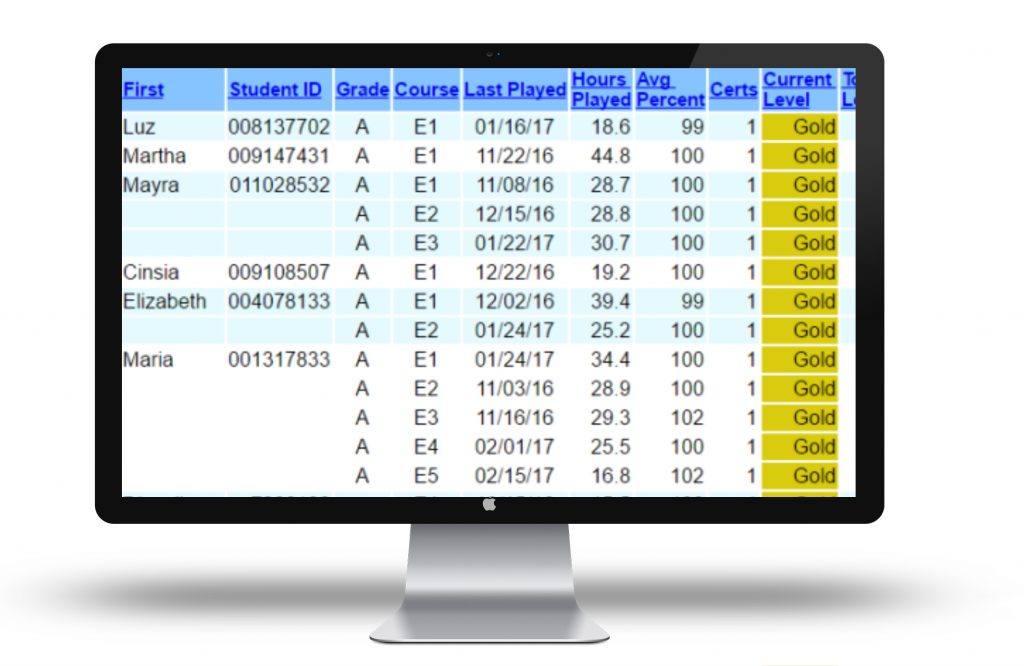
- Once a student enrolls using your class code, they will show on your class roster in the Teacher Menu.
- You can now track, edit, and view reports in your Teacher Menu.
- Learn more about our Formative Assessment Reports.
- For real time tracking of student progress, view the STUDENT MONITOR report in the Students tab of your Teacher Menu.
- To track time-on-task using date parameters, select the Student Progress Report by Date in the Reports tab.